English
 中文
中文 Pусский
 Español
 Français
 عربي
عربي
Automatic Screen Printing Machine Guide: Types, Applications, Automation and Selection
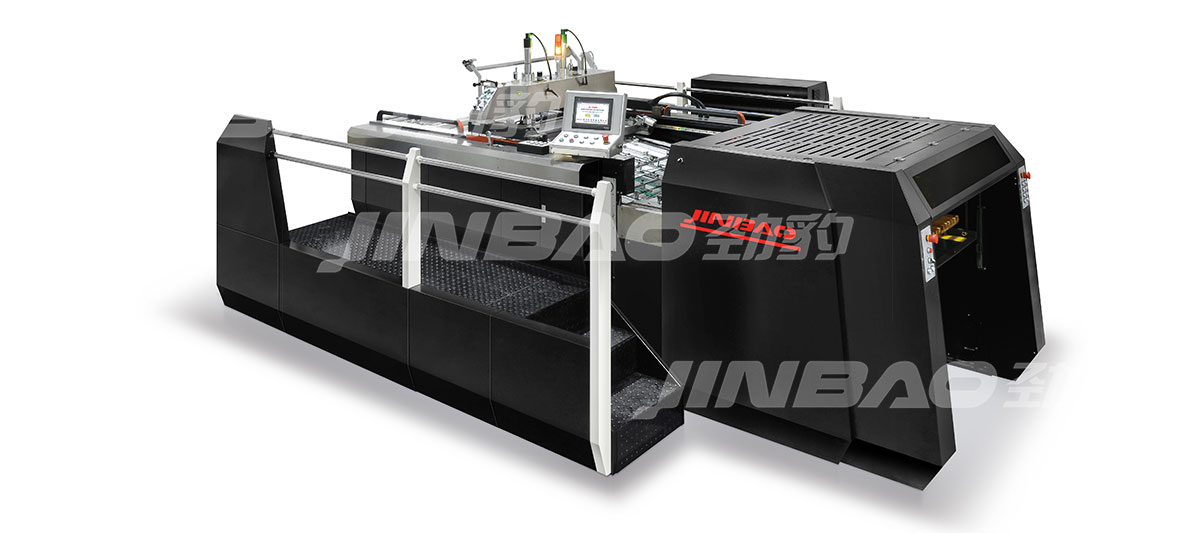
A full automatic screen printing machine is one of the most significant capital investments a print shop can make. Unlike manual or semi-automatic presses, which rely heavily on operator skill for every sheet, a fully automatic system handles feeding, registration, printing, take-off, and stacking with minimal human intervention. The result is higher throughput, more consistent quality, and lower labor costs per thousand sheets.
But not all automatic screen printing machines are the same. The right machine for a shop printing ceramic decals on thin paper will differ significantly from one running heavy packaging boards with UV spot coating. This guide explains what automatic screen printing machines are, how they work, the main types available, and what buyers should consider before making a purchasing decision. Whether you are setting up a new production line or upgrading from semi-automatic equipment, understanding these fundamentals will help you make a more informed investment.
What Is an Automatic Screen Printing Machine?
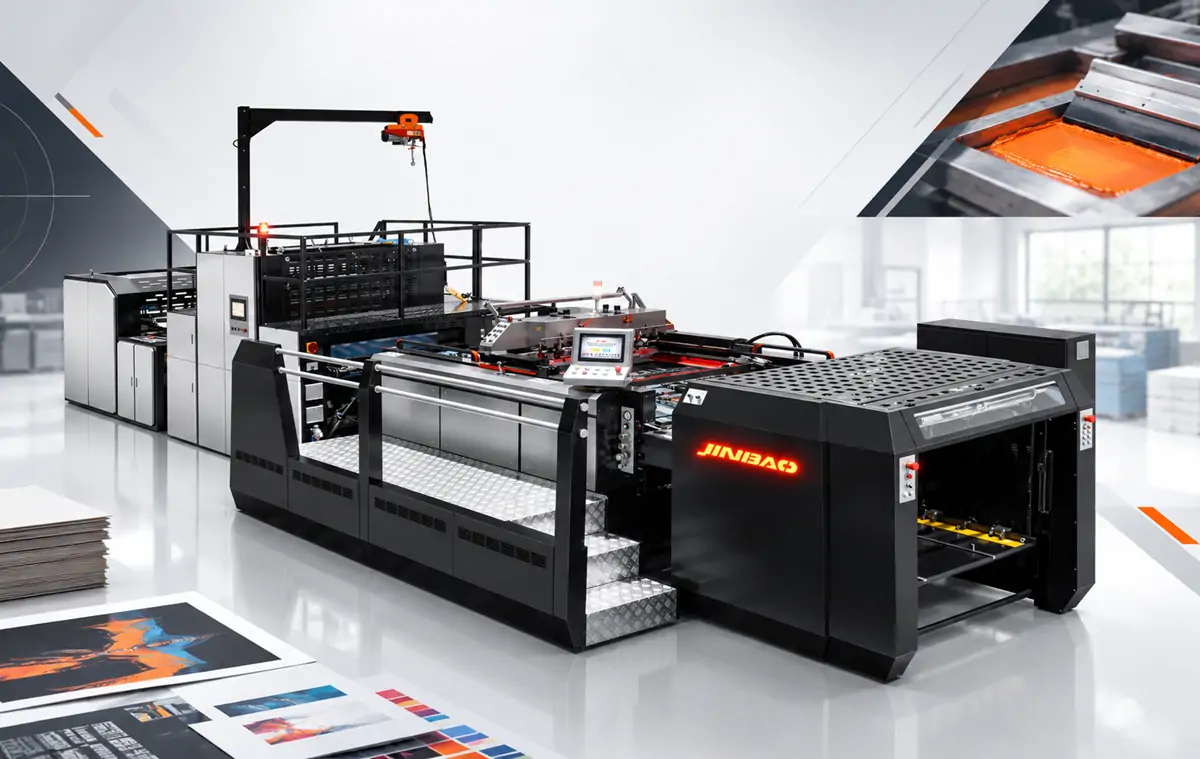
An automatic screen printing machine is a piece of industrial equipment that automates the screen printing process—from feeding substrate sheets into the press to delivering finished printed sheets at the exit. While manual screen printing requires an operator to place each sheet, align it, pull the squeegee, and remove the printed piece, an automatic machine performs these steps through mechanical, pneumatic, or servo-driven systems with consistent repeatability.
The level of automation varies significantly across machine types. A fully automatic machine handles every step of the process without operator intervention beyond setup and monitoring. A semi-automatic press automates the printing stroke but requires manual sheet placement and removal. A 3/4 automatic press falls somewhere in between—automating printing and take-off while retaining manual feeding. Understanding these distinctions is the first step in selecting the right equipment for your production environment.
What automation typically covers:
- Feeding: Sheets are picked from a stack and fed into the press automatically
- Positioning/Registration: Sheets are aligned to a precise position before printing
- Printing: The squeegee and flood bar cycle automatically
- Take-off: Printed sheets are removed from the printing station
- Curing/Drying: Sheets pass through UV or hot-air drying systems
- Stacking: Finished sheets are stacked neatly at the delivery end
The degree of automation varies by machine type. A fully automatic machine includes all of the above; a 3/4 automatic press may automate printing and take-off but require manual feeding. The choice between these levels of automation directly impacts labor requirements, output consistency, and overall production cost per sheet.
Jinbao Machinery, founded in 1997 in Wenzhou, China, is a national high-tech enterprise that has been manufacturing automatic screen printing machines and auxiliary equipment for over 25 years. The company's products are applied extensively in graphics printing, print finishing, garment transfers, and textile printing. With a production facility spanning 5.32 hectares and a team of 147 employees—including 41 technical professionals with college degrees or higher—Jinbao has built a reputation for reliable, precision-engineered screen printing equipment exported to more than 100 countries worldwide.
How Does Automatic Screen Printing Work?
The automatic screen printing process can be broken down into six sequential stages. Understanding each stage helps buyers identify where bottlenecks might occur and what features matter most for their specific application. Each stage must work in harmony with the others—a mismatch in feeding speed, printing cycle time, or curing capacity will create production inefficiencies regardless of how capable the individual components are.
Sheet Feeding
The process begins at the feeder. Sheets are loaded onto a pile board, and an automatic suction or friction feeder separates the top sheet from the stack and feeds it into the registration system. The feeder must handle the full range of sheet sizes and thicknesses the machine is rated for—from lightweight decal paper as thin as 0.05mm to heavy paperboard several millimeters thick.
Feeder design affects both speed and reliability. A mis-fed sheet causes the machine to stop or produces a misregistered print, both of which reduce effective output. Modern feeders incorporate double-sheet detection sensors to prevent multiple sheets from entering the press simultaneously—a common cause of jams and registration errors. The choice between suction feeders and friction feeders depends on substrate type, with suction feeders generally offering more reliable separation of lightweight or coated stocks.
Registration and Positioning
Once the sheet enters the machine, it must be positioned precisely before printing. Registration systems use front lays and side guides (often with CNC sensor control) to align each sheet to the same position. In multi-color work, registration accuracy is critical—any variation between colors produces a ghosted or blurred image that fails quality inspection.
Modern automatic machines use self-setting CNC sensor registration systems that detect substrate position and adjust accordingly. These systems can compensate for minor variations in sheet size or feeding position, maintaining consistent registration across long runs. The registration tolerance achievable on a well-maintained automatic machine is typically ±0.1mm or better, which is essential for high-end packaging and electronic component printing. Older mechanical registration systems, while still functional, require more frequent manual adjustment and cannot compensate for variation as effectively.
Ink Transfer Through the Screen
With the sheet in position, the printing cycle begins. The screen (stencil) lowers onto the substrate, and the squeegee travels across the screen, forcing ink through the open mesh areas and onto the sheet. The flood bar then returns to coat the screen with ink for the next cycle. This flood-and-print sequence repeats continuously during production.
The printing mechanism varies by machine type—stop cylinder machines pause the sheet during printing, while swing cylinder machines use continuous motion. This distinction directly affects both speed and registration accuracy. In a stop cylinder machine, the sheet is held stationary during the squeegee pass, eliminating any possibility of sheet movement during ink transfer. In a swing cylinder machine, the sheet moves continuously, and the squeegee must synchronize with sheet motion—a more complex mechanical relationship that can introduce minor registration variation at very high speeds.
Sheet Take-Off
After printing, the sheet must be removed from the printing station and transferred to the drying or curing system. Take-off systems use grippers, suction, or conveyor belts to move the sheet without marking the freshly printed surface. The design of the take-off system is particularly important for applications with heavy ink deposits, where the printed surface remains wet and vulnerable to smudging.
High-quality take-off systems incorporate air flotation or non-contact transfer methods to minimize marking. The transition from the printing station to the curing system must be smooth and consistent—any hesitation or misalignment at this stage can result in sheet damage or misregistration in subsequent colors. In multi-color lines, the take-off system must also accommodate intermediate drying between color stations.
Drying or UV Curing
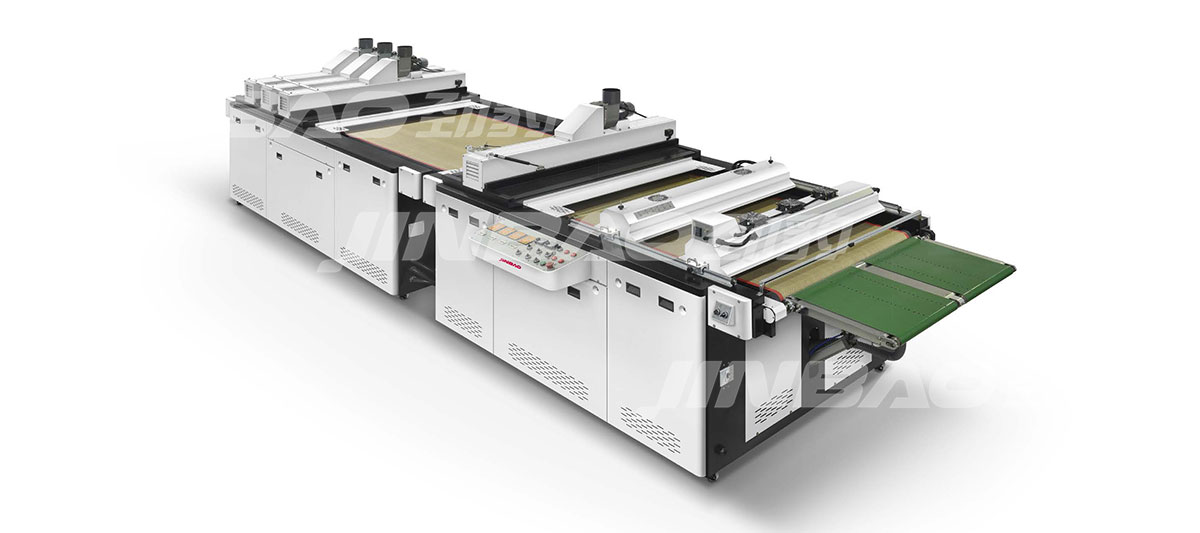
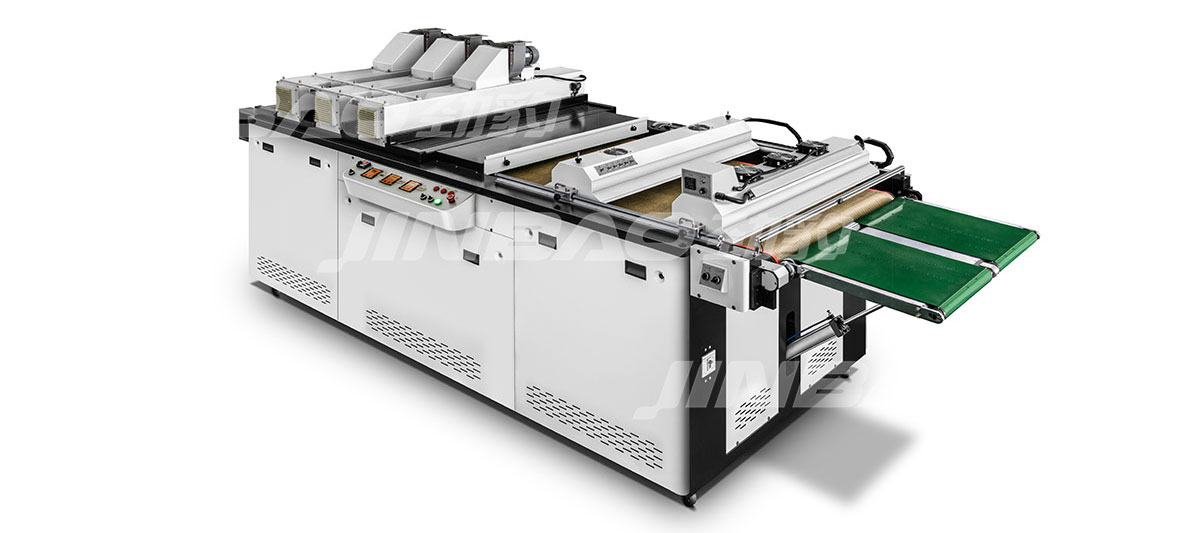
Wet ink must be dried or cured before the sheet can be stacked or further processed. Automatic screen printing lines typically include UV curing units or hot-air dryers positioned after the press. The choice between UV and hot-air drying depends on the ink type, substrate, and production speed requirements.
UV curing uses photopolymerization to cure UV-curable inks instantly upon exposure to UV light. This process requires no solvent evaporation and generates minimal heat, making it suitable for heat-sensitive substrates. Hot-air drying, on the other hand, relies on solvent evaporation from solvent-based or water-based inks, requiring longer drying times and more careful temperature control. The drying method selected must be matched to both the ink formulation and the substrate's heat tolerance—using UV curing on a substrate that requires solvent-based inks, or vice versa, will result in incomplete drying or poor adhesion.
Automatic Stacking
At the end of the line, finished sheets are delivered to a stacker that piles them neatly for removal. Automatic stacking eliminates manual handling and reduces the risk of marking or smudging freshly printed sheets. The stacker must accommodate the full range of sheet sizes and thicknesses handled by the press, and it should maintain consistent pile height to prevent feeding interruptions in downstream processes.
Advanced stackers incorporate pile board changing systems that allow continuous operation even when the stack reaches capacity. This is particularly important in high-volume production environments where stopping the line for pallet changes would significantly reduce overall throughput.
Process Flow Diagram:
Feeder → Registration → Printing → Take-off → UV/Hot Air Curing → Stacker
Main Types of Automatic Screen Printing Machines
Automatic screen printing machines are classified by their printing mechanism and substrate handling method. The two primary structural types are stop cylinder and swing cylinder, each with distinct advantages and trade-offs.
Stop Cylinder Screen Printing Machine
In a stop cylinder machine, the substrate pauses under the screen while the squeegee passes, then advances to the next position. This stop-and-go motion allows the sheet to remain perfectly still during ink transfer, which delivers higher registration accuracy—typically ±0.05mm or better in well-maintained machines.
Key characteristics:
- Higher registration accuracy, suited for multi-color work and fine detail
- Better for heavy or rigid substrates that need stable positioning
- Typically runs at moderate speeds due to the dwell period (usually 2,500–3,500 sheets per hour)
- Preferred for high-end packaging, cosmetic boxes, and products requiring tight registration
- More complex mechanical design, reflecting higher initial cost
Swing Cylinder Screen Printing Machine
Swing cylinder machines use a continuous rotary motion. The substrate moves through the printing station without pausing, allowing faster throughput—often 4,000 sheets per hour or more on compatible substrates.
Key characteristics:
- Higher speed, suited for high-volume production
- Commonly chosen for single-color or less registration-critical work
- Often used for decal printing where registration tolerances are wider (±0.15mm or more)
- Lower initial cost compared to stop cylinder designs of similar size
- Simpler mechanical design with fewer moving parts in the print cycle
Flatbed Automatic Screen Printing Machine
Flatbed machines use a flat printing table rather than a cylinder. The substrate is placed on a flat bed, the screen lowers onto it, and the squeegee passes across. Flatbed designs are typically used for thicker or more rigid substrates that cannot wrap around a cylinder, such as certain electronic components or very thick board stocks.
These machines are generally slower than cylinder designs but offer greater versatility in substrate handling. They are often used in applications where substrate thickness varies significantly or where the printed item has an irregular shape that cannot be handled by a cylinder press. The trade-off is lower speed and higher labor requirements for feeding and take-off, though fully automatic flatbed machines do exist.
3/4 Automatic Screen Printing Press
A 3/4 automatic press automates the printing and take-off functions but requires manual sheet feeding. The operator places each sheet onto the registration table, and the machine handles the rest—printing, take-off, and sometimes stacking. This configuration bridges the gap between semi-automatic and fully automatic production.
3/4 automatic presses are a popular upgrade path for shops transitioning from manual or semi-automatic equipment. They offer many of the consistency benefits of full automation without the full capital outlay, and they are particularly suitable for shorter runs where the time and cost of automatic feeder setup may not be justified. However, the manual feeding step remains a bottleneck that limits overall throughput and introduces operator-dependent variation.
Full automatic vs 3/4 automatic:
| Feature | Full Automatic | 3/4 Automatic |
|---|---|---|
| Feeding | Automatic | Manual |
| Registration | Automatic | Operator-assisted |
| Printing | Automatic | Automatic |
| Take-off | Automatic | Automatic |
| Stacking | Automatic | Often manual |
| Labor requirement | Lower | Higher |
| Output consistency | Higher | Operator-dependent |
Automatic vs Semi-Automatic Screen Printing Machines
The decision between a fully automatic and a semi-automatic screen printing machine is one of the most consequential choices a buyer makes. The difference extends beyond price—it affects labor requirements, output consistency, and the types of jobs a shop can profitably run.
| Factor | Full Automatic | Semi-Automatic |
|---|---|---|
| Feeding | Automatic sheet feeding | Manual sheet placement |
| Registration | Automatic, CNC sensor-controlled | Operator-dependent, manual alignment |
| Printing cycle | Fully automatic, consistent | Operator initiates each cycle |
| Output per shift | Higher, sustained | Lower, limited by operator speed |
| Labor per 1,000 sheets | Lower | Higher |
| Operator skill required | Setup and monitoring | Continuous operation |
| Job changeover | Longer (more adjustments) | Faster |
| Capital investment | Higher | Lower |
| Suitable for | High-volume, long runs, multi-color | Short runs, prototypes, variable jobs |
A fully automatic system can improve production efficiency by more than 30% compared to semi-automatic alternatives. However, the actual improvement depends on job complexity, substrate type, and the level of automation in feeding, registration, and stacking. For simple single-color jobs on standard substrates, the efficiency gain may be closer to 15–20%; for complex multi-color work requiring precise registration, the gain can exceed 50%.
For shops running high-volume orders with consistent specifications, the fully automatic machine delivers better ROI through reduced labor costs and higher output. The break-even point typically occurs at around 2,000–3,000 sheets per shift—below this volume, the faster changeover of semi-automatic equipment may offset the labor cost advantages. For shops with frequent job changes, short runs, or a wide variety of substrates, a semi-automatic press may offer greater flexibility at a lower entry cost.
What Materials Can Be Screen Printed Automatically?
Full automatic screen printing machines handle a broad range of substrates. The specific range depends on the machine model and configuration, but most industrial automatic presses can accommodate the following material types with appropriate feeder and transport adjustments.
Paper
Paper is the most common substrate for automatic screen printing. Applications range from decal paper and stickers to commercial posters and graphic prints. Lighter paper stocks can be fed and transported at higher speeds, with some machines achieving 4,000+ sheets per hour on 100–150 gsm stocks. Heavier papers (250 gsm and above) require slower operation to maintain reliable feeding and registration.
Paperboard
Paperboard and folding carton stock are widely used in packaging applications. Heavier materials require slower feeding and gentler handling. A machine that runs paper at 4,000 sheets per hour may run at half that speed on thick board or when applying heavy UV varnish. The stiffness of paperboard also affects the registration system—stiffer sheets are less forgiving of misalignment and require more precise positioning.
Plastic Sheets
Plastic sheets—including PET, PVC, and polycarbonate—are used in membrane switches, electronic components, and specialty packaging. Plastic substrates require careful handling to avoid scratching and static buildup. Static electricity can cause feeding problems, attract dust, and affect registration accuracy. Many automatic presses for plastic substrates include anti-static devices and specialized feeder designs to address these challenges.
Labels and Stickers
Self-adhesive label stock is commonly printed on automatic screen printing machines. The combination of high-speed feeding and precise registration makes automatic presses ideal for label production. However, the adhesive layer presents unique challenges—labels can stick to feed plates, and the release liner must be handled carefully to avoid delamination. Machines designed for label printing often include specialized feeder and transport systems to address these issues.
Decals
Ceramic and glass decals are printed on thin transfer paper. The lightweight substrate can be fed at high speeds, but registration accuracy is critical for multi-color decal work. Decal papers are often coated with a water-soluble release layer that makes them sensitive to humidity; maintaining consistent environmental conditions is essential for reliable production.
Electronic Materials
Screen printing is used in electronics manufacturing for printing conductive inks, thick-film circuits, and membrane switches. These applications demand high registration accuracy and consistent ink deposit thickness—requirements that automatic machines are well-suited to meet. Electronic substrates are often small and fragile, requiring precise handling and careful registration.
Main Industrial Applications
Automatic screen printing machines serve a wide range of industries. The common thread is the need for consistent, high-volume production of printed sheets with precise ink deposit control. Here are the primary application areas:
- Packaging – Folding cartons, cosmetic boxes, wine boxes, gift boxes, and luxury packaging. Screen printing delivers opaque whites, heavy ink deposits, and specialty effects that other printing processes cannot achieve. The thick ink film provides a tactile quality and visual impact that is particularly valued in premium packaging segments.
- Labels – Self-adhesive labels, decals, and stickers. High-speed automatic presses with precise registration are essential for multi-color label work. The ability to deposit thick, opaque ink layers makes screen printing the preferred choice for labels requiring strong color saturation or special effects.
- Decals – Ceramic decals, glass decals, and heat transfers. Thin paper stocks require gentle feeding and precise registration. Decal printing often involves multiple colors printed in perfect register, requiring the highest level of registration accuracy from the press.
- Electronics – Membrane switches, printed circuits, thick-film circuits, and conductive patterns. Registration accuracy and consistent ink deposit are critical. Electronic applications also demand exceptionally clean production environments and careful handling to avoid contamination.
- Graphic Printing – Posters, commercial graphics, point-of-purchase displays, and fine art prints. Automatic presses enable cost-effective production of graphic prints in medium to large volumes with consistent quality.
- Specialty Finishing – Spot UV coating, cold foil application, and other print finishing processes that require heavy ink or adhesive deposits. These applications often combine screen printing with other processes to create distinctive visual effects.
Key Machine Specifications Buyers Should Compare
When evaluating automatic screen printing machines, buyers should compare these specifications against their production requirements. Each specification must be evaluated in the context of your actual production mix, not just the machine's maximum capability.
- Maximum Sheet Size – The largest sheet size the machine can handle. Select a machine whose maximum comfortably accommodates your largest regular job, with some margin for future needs. Choosing a machine that is too large for your typical work will result in higher cost and reduced efficiency on smaller jobs.
- Minimum Sheet Size – The smallest sheet size the machine can process. Important if you run small-format jobs. Some machines cannot effectively handle very small sheets due to feeder or registration limitations.
- Printing Area – The maximum printable area on the sheet, typically slightly smaller than the maximum sheet size. Ensure that your largest image fits comfortably within the printable area.
- Substrate Thickness – The range of substrate thicknesses the machine can handle—from thin paper (0.05mm) to thick board (several millimeters). If your production mix includes both very thin and very thick materials, look for a machine with a wide thickness range and easy adjustment.
- Production Speed – Rated in sheets per hour. Note that rated speed is rarely achievable in real-world production with your specific substrates. Always ask for sustained production rates on your most common job type, not the maximum theoretical speed.
- Registration Accuracy – Measured in millimeters. Tighter registration (±0.05mm or better) is required for multi-color work and electronic applications. For single-color work on less critical applications, ±0.15mm may be acceptable.
- Screen Frame Size – The maximum screen frame size the machine accepts. This determines the maximum image size and affects screen-making equipment requirements. Larger frames require more robust tensioning and handling equipment.
- Power and Air Requirements – Electrical power consumption and compressed air consumption. Verify that your facility can supply the required utilities. Compressed air quality is particularly critical—moisture and oil contamination will cause premature wear on pneumatic components.
Servo vs Mechanical Screen Printing Machines
The drive system is a critical differentiator between machine models. Jinbao offers both servo-driven models and mechanical versions, each with distinct advantages for different production environments.
Servo-driven machines use electronically controlled motors that allow faster acceleration, smoother motion profiles, and programmable speed settings for different parts of the cycle. Key advantages:
- Faster acceleration and deceleration, increasing effective cycle speed by reducing the non-printing portions of the cycle
- Programmable motion profiles for different substrates—the machine can be optimized for paper, board, or film with the push of a button
- Better registration accuracy at high speeds, as the servo system can maintain precise position even during rapid acceleration
- Lower maintenance requirements (fewer mechanical wear parts—no cams, fewer linkages, less lubrication required)
- Energy efficiency—servo motors draw power only when moving, whereas mechanical machines consume power continuously
Mechanical machines rely on cam-driven mechanical linkages. Key characteristics:
- Robust and proven design with decades of field history
- Fixed motion profile that cannot be optimized per job—the same speed and acceleration pattern applies regardless of substrate
- Mechanically limited maximum speed, typically lower than servo equivalents
- Lower initial cost, making mechanical machines attractive for price-sensitive buyers
- Longer setup time for job changes, as mechanical adjustments are more time-consuming than electronic parameter changes
For shops running a wide variety of jobs with different substrates and print requirements, servo-driven machines offer greater flexibility and faster changeovers. The ability to store job-specific settings and recall them at the push of a button can significantly reduce setup time on short runs. For shops running long runs of standard jobs with consistent specifications, mechanical versions provide a more cost-effective solution with proven reliability and lower initial investment.
How to Choose an Automatic Screen Printing Machine
Choosing the right machine requires a systematic evaluation of your production requirements. Follow this decision framework to ensure you select equipment that matches both your current needs and future growth plans:
- Determine your product – What are you printing? Packaging boxes, decals, labels, electronic components, or graphic prints? The product type determines the required print quality, ink type, and finishing requirements. For example, packaging applications often require heavy ink deposits, while electronic printing demands exceptional registration accuracy.
- Determine your substrate – What material are you printing on? Paper, paperboard, plastic, film, or specialty substrates? Substrate type affects feeding speed, registration requirements, and drying method. Consider whether your substrate mix will change over time—choosing a machine with broader substrate capability provides flexibility for future orders.
- Determine your sheet size – What is the maximum and minimum sheet size you need to print? This determines the machine format. Also consider the range of sizes you might need in the next 2–3 years—the cost of upgrading to a larger machine later is far higher than buying a larger machine upfront.
- Determine your ink deposit – Do you need a heavy ink deposit (opaque white, specialty effects) or a thin deposit (fine detail, process color)? Ink deposit affects mesh selection, squeegee pressure, and curing requirements. Heavy deposits require more curing energy and may limit line speed.
- Determine your production speed – What is your target output per shift? This determines whether you need a swing cylinder (higher speed) or stop cylinder (higher accuracy) design. Be realistic about your speed requirements—choosing a machine that is faster than you need adds cost without benefit.
- Determine your curing method – Will you use UV curing or hot-air drying? The choice affects line configuration and auxiliary equipment requirements. UV curing offers faster drying and lower heat exposure but requires UV-curable inks. Hot-air drying is more versatile for different ink types but requires more floor space and energy.
- Determine your automation scope – Do you need fully automatic feeding, registration, and stacking, or can some functions remain manual? This determines whether you need a full automatic or 3/4 automatic press. Consider labor costs and availability in your region when making this decision.
- Determine your future expansion – Will your production requirements change in the next 3–5 years? Choose a machine with some capacity margin. It is more cost-effective to buy a machine with 20–30% excess capacity than to replace equipment when your business grows.
What Equipment Is Needed Around the Screen Printing Press?
A screen printing machine rarely operates in isolation. The total system includes auxiliary equipment that must work together to constitute a complete printing line. Each component must be matched to the press's capacity and the specific production requirements.
- Feeder – Automatically feeds sheets from a pile into the press. Essential for full automatic operation. Consider whether you need a suction feeder or friction feeder based on your substrate types and thickness range.
- Take-off unit – Removes printed sheets from the printing station and transfers them to the drying system. The take-off system must handle the sheet without marking the wet ink—this becomes particularly critical with heavy ink deposits.
- UV curing unit – Cures UV inks through photopolymerization. Critical for UV ink applications. The UV unit must be matched to the press speed—too little curing capacity will limit line speed; too much adds unnecessary cost.
- Hot-air dryer – Evaporates solvents from solvent-based or water-based inks. The dryer length and temperature capability must be matched to the ink type and line speed. Solvent-based inks require longer drying times than water-based inks.
- Stacker – Automatically stacks finished sheets at the delivery end. Essential for continuous production. The stacker must handle the full range of sheet sizes and maintain consistent pile height without marking printed surfaces.
- Plate-making equipment – Screen stretching machines, emulsion coaters, exposure units, and washing stations for preparing printing screens. The quality of screen preparation directly affects print quality—investing in good plate-making equipment is essential for consistent results.
Jinbao's product range includes screen printing machines, UV curing machines, paper stackers, and plate-making equipment, enabling customers to build complete production lines from a single supplier. For a broader view of how different components integrate into a complete printing system, review the available solutions and system configurations.
Common Automatic Screen Printing Problems
While automatic machines reduce many operator-dependent variables, problems still occur. Here is a summary of common issues and their typical causes:
- Registration drift – Caused by loose screen frame clamps, dirty pallet surfaces, or misaligned registration sensors. Regular cleaning and calibration of sensors can prevent most registration problems.
- Uneven ink deposit – Caused by high ink viscosity, uneven squeegee pressure, or mesh clogging. Monitoring ink viscosity and maintaining squeegee condition are essential preventive measures.
- Smearing or ghosting – Caused by insufficient off-contact distance or ink that is too thin. Adjusting off-contact and maintaining proper ink viscosity typically resolves these issues.
- Insufficient curing – Caused by low UV energy, incorrect lamp type, or excessive conveyor speed. Regular measurement of UV output with a radiometer can identify curing problems before they affect production.
- Feeding errors – Caused by incorrect feeder settings, substrate variation, or static buildup. Static elimination devices and consistent substrate conditioning can dramatically reduce feeding errors.
If troubleshooting these issues requires replacement parts or technical guidance, Jinbao's service center provides warranty support, spare parts, and installation training to help maintain consistent production quality.
Automatic Screen Printing Machine FAQ
What is the difference between automatic and semi-automatic screen printing?
An automatic screen printing machine handles feeding, registration, printing, take-off, and stacking automatically. A semi-automatic machine requires the operator to place and align each sheet manually, though the printing cycle itself may be automated. Full automatic machines deliver higher output and more consistent quality but require a larger capital investment. The choice depends on your production volume, labor costs, and the complexity of your print jobs.
Which materials can be printed on an automatic screen printing machine?
Automatic screen printing machines handle paper, paperboard, plastic sheets, films, decal paper, labels, stickers, and electronic materials. The specific range depends on the machine model and configuration. When evaluating a machine, verify that it can handle the full range of materials you currently print and any you plan to add in the future.
What determines the production speed of an automatic screen printing machine?
Production speed is determined by substrate type and weight, sheet size, printing mechanism (stop cylinder vs swing cylinder), drive system (servo vs mechanical), and curing requirements. Rated speed is rarely achievable with all substrates—always ask for sustained production rates on your specific job type. The printing mechanism is the most significant factor: swing cylinder designs are inherently faster, while stop cylinder designs prioritize accuracy over speed.
When is UV curing required?
UV curing is required when using UV-curable inks. These inks cure through photopolymerization when exposed to UV light, offering fast curing, high gloss, and excellent adhesion on non-porous substrates. UV curing is commonly used in packaging, label, and specialty printing applications. The decision to use UV inks should also consider the substrate's heat sensitivity and the availability of UV curing equipment.
How do I choose between a stop-cylinder and a swing-cylinder machine?
Choose a stop cylinder machine if you need high registration accuracy for multi-color work, fine detail, or heavy substrates. The stop-and-go motion ensures the sheet remains stationary during printing, which is essential for tight registration. Choose a swing cylinder machine if your priority is maximum throughput for high-volume single-color or less registration-critical work. The continuous motion eliminates the dwell period, increasing production speed.
Can one machine handle different sheet sizes?
Yes, most automatic screen printing machines can handle a range of sheet sizes within their minimum and maximum specifications. However, job changeover takes time—operators must adjust feeders, registration guides, and take-off systems for each size change. The time required for changeover can range from 15 minutes to an hour or more, depending on the machine design and the operator's experience. Machines with servo-driven adjustments typically offer faster changeovers than purely mechanical machines.
What is the typical service life of an automatic screen printing machine?
With proper maintenance and operation, an automatic screen printing machine can deliver reliable service for 10 to 15 years or more. The actual lifespan depends on operating hours, maintenance quality, environmental conditions, and the types of substrates being printed. Regular maintenance—particularly of compressed air systems and lubrication points—is essential for achieving maximum service life.
Choosing a Screen Printing Machine for Your Production
The right automatic screen printing machine is the one that matches your specific production requirements—not the one with the highest speed rating or the lowest price. Before contacting suppliers, prepare the following information to ensure you receive accurate recommendations:
- Material – What substrate are you printing on? (paper, board, plastic, film, etc.)
- Finished product – What are you producing? (packaging, decals, labels, electronics, etc.)
- Sheet size – What is the maximum and minimum sheet size?
- Substrate thickness – What is the thickness range?
- Ink type – Will you use UV ink, solvent ink, or water-based ink?
- Target output – How many sheets per shift do you need?
- Current process – Are you upgrading from manual or semi-automatic?
- Drying method – Do you need UV curing, hot-air drying, or both?
With this information, equipment suppliers can recommend the appropriate machine type, configuration, and auxiliary equipment for your production line. Taking the time to thoroughly define your requirements upfront will save significant time and cost during the equipment selection process.
If you have specific production requirements, discuss your material and production needs directly with the supplier to confirm the specification.